Tyre Management
Track every set from new to end of life
Register tyre sets per event, allocate to sessions, record mount events lap by lap, and get accurate usage calculations automatically. Know exactly how many laps, kilometres, and minutes each set has done.
Tyre Registry
Register your tyre sets for each event entry. Track compound, condition (New, Used, Scrubbed), and unique set identifiers. See all sets at a glance on the event tyres tab.
- Register sets per event entry with unique identifiers
- Compound tracking (Slick, Wet, Intermediate)
- Condition auto-updated to USED after session use
- Barcode scanning for quick tyre identification
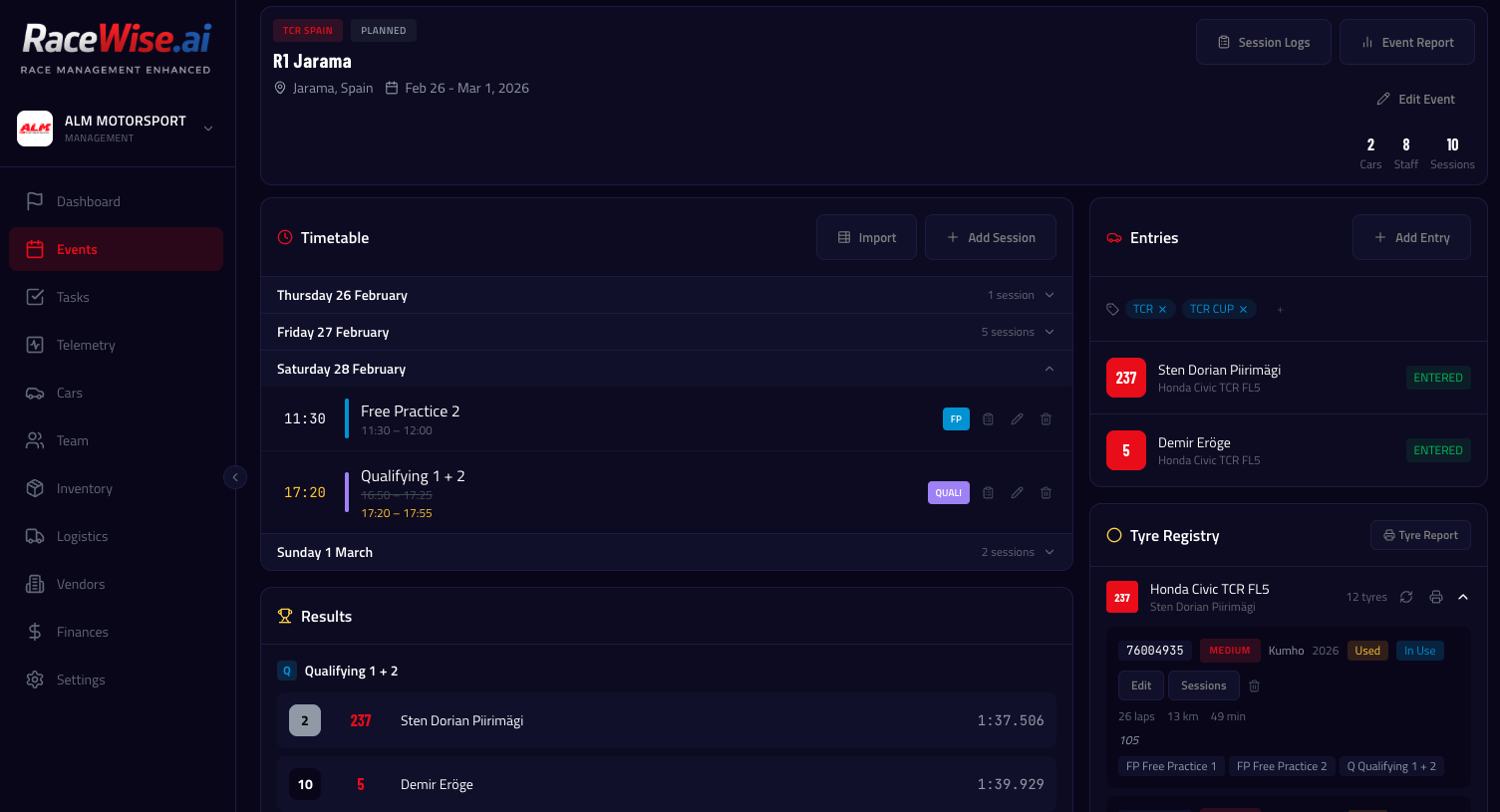
Session Allocation & Mount Events
Plan which sets you'll use in each session, then record the actual mount events — which set went on at which lap. Initial set recorded at session start, changes recorded at the lap of the swap.
- Allocate tyre sets to sessions (pre-session planning)
- Mount events recorded by lap number
- Tyre pressure logging: cold pressure, hot pressure
- Visual tyre history across the event
Automatic Usage Calculation
Hit Recalculate and the system processes all closed session logs chronologically. It calculates exact laps, kilometres (from circuit length), and minutes per tyre set. Sets used in sessions are automatically marked as USED.
- Laps, kilometres, and minutes per set
- Calculated from session log mount events and circuit length
- Recalculate rebuilds all totals from scratch — always accurate
- Auto-marks condition as USED after detected usage
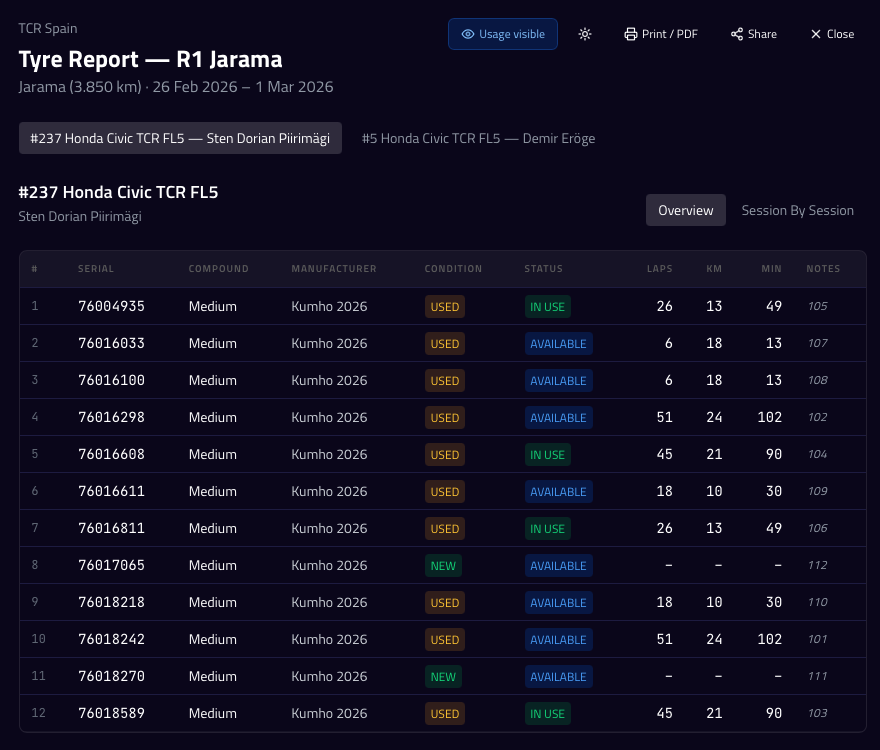
Tyre Report
Generate a print-ready tyre usage report for the entire event. See all sets, their usage across sessions, and current condition. Share with your tyre supplier or keep for records.
- Print-friendly event tyre report
- Per-set usage breakdown across sessions
- Export as PDF via browser print
Ready to try Tyre Management?
Start your 14-day free trial — no credit card required.
Start Free Trial