Session Logs
The heart of your race weekend data
Capture everything that happens in a session — lap times, stint changes, tyre mounts, fuel levels, weather snapshots, car setup, penalties, and comments. The single source of truth for your race weekend.
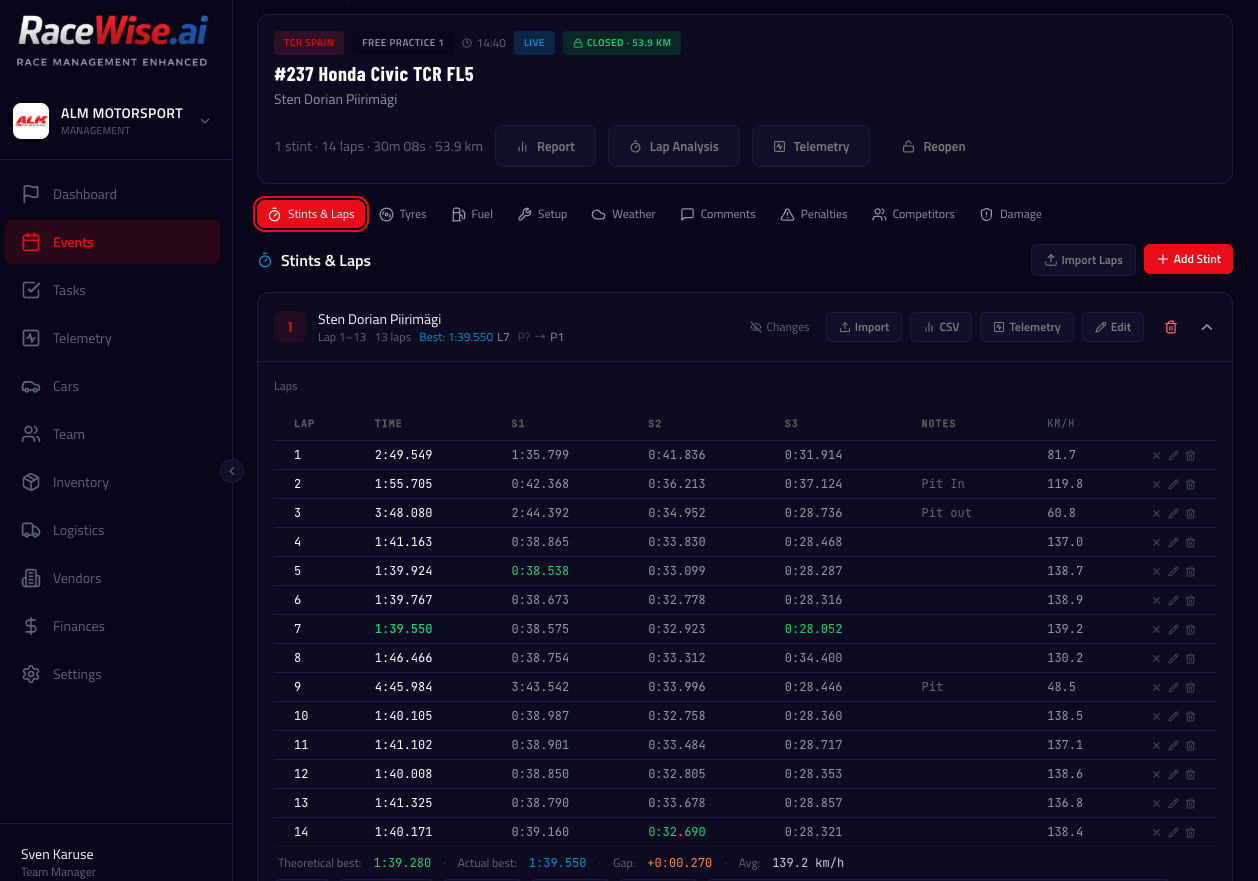
Stints & Lap Times
Record stints with individual lap times. Multiple import options make data entry fast — no manual typing needed if you have timing data available.
- Multiple import methods: paste from clipboard, CSV, PDF (AI), or manual entry
- Instant CSV parsing for ALKAMEL and TimeService.nl formats (no AI credits)
- Void lap marking — track limits, pit laps excluded from best lap calculations
- Multi-driver stint support for endurance: pick the driver per stint
- Best lap time displayed per entry in session overview
Car Setup Tracking
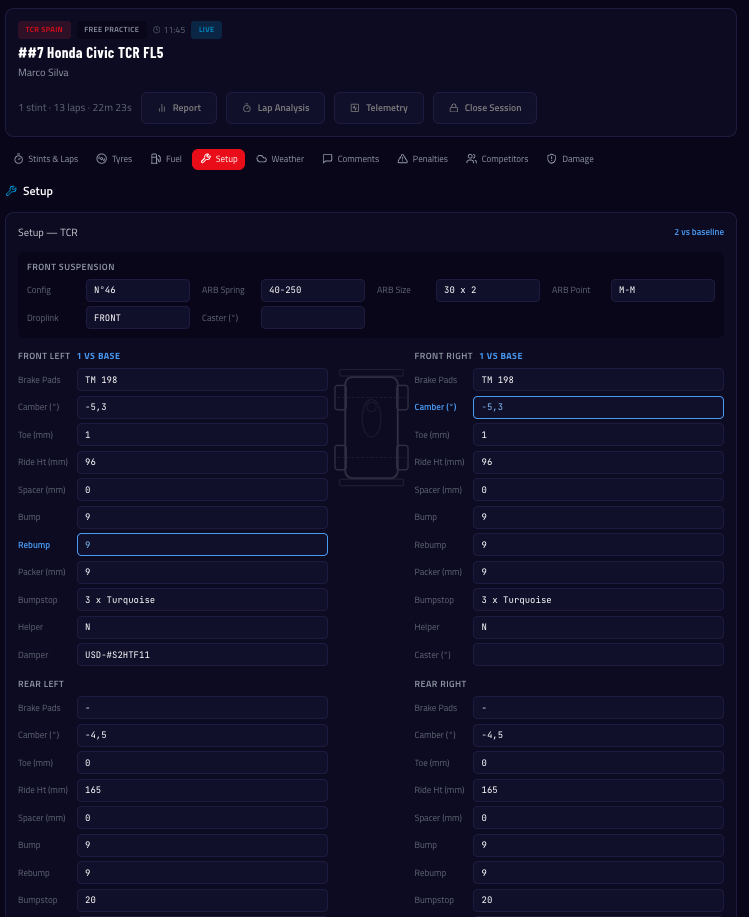
Record your car setup for every session with corner-by-corner detail. See exactly what changed — orange highlights show differences vs the previous session, blue highlights show changes from baseline.
- Simple and TCR setup templates with per-corner layout (FL/FR/RL/RR)
- TCR template: camber, toe, ride height, bump, rebound, bumpstops, helpers, damper part numbers, shims, packers, splitter, wing, ARB, diff, weight & balance
- Two-layer diff highlighting: orange = vs previous session, blue = vs baseline
- Carry Over menu: copy setup from any previous session or from car baseline
- Import setup from PDF setup sheets (AI-powered)
- No hardcoded units — teams use their own conventions
Tyres, Fuel & Weather
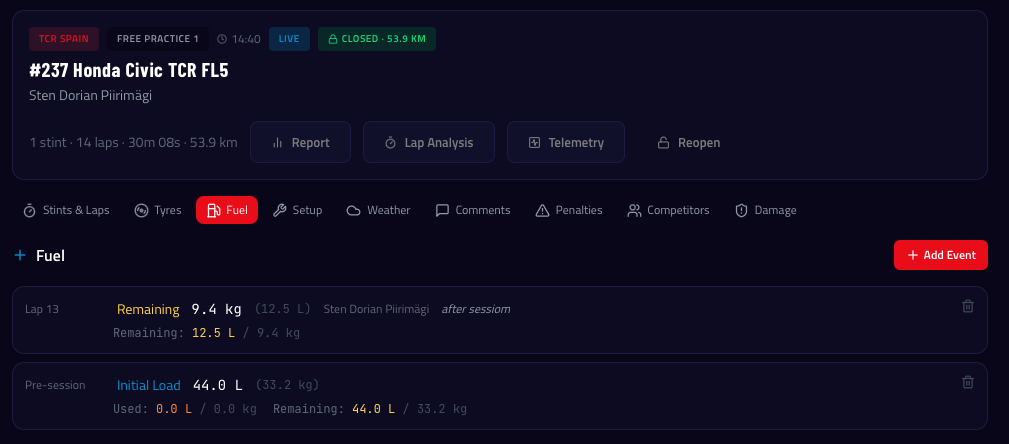
Track tyre mount changes by lap number, log fuel top-ups, and record weather snapshots throughout the session. All data feeds into AI analysis and tyre usage calculations.
- Tyre mounts: which set goes on at which lap
- Fuel top-ups with quantity tracking
- Weather snapshots: air/track temperature, humidity, conditions
- All data automatically included in AI session reports
Comments & Voice Notes
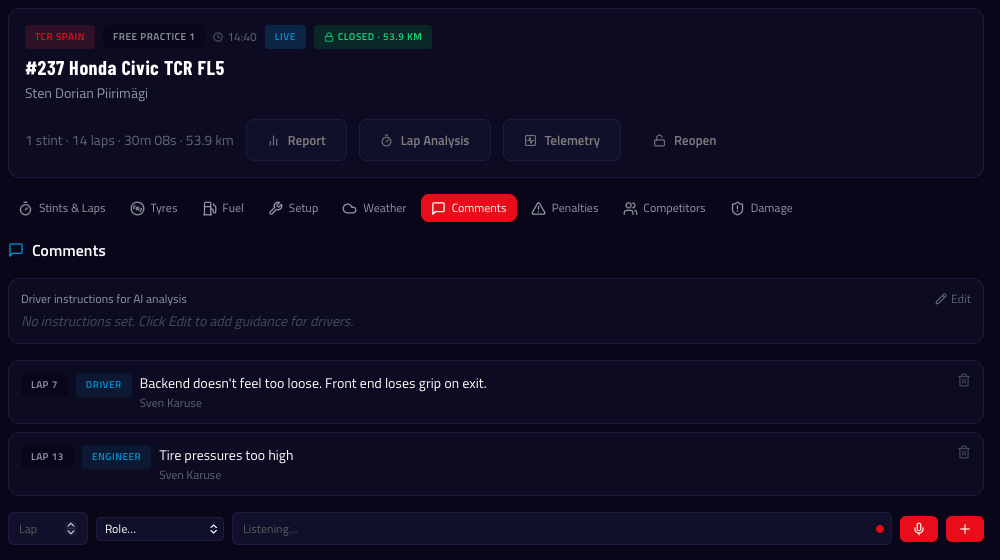
Add timestamped comments to the session log. Use the microphone button for speech-to-text — perfect for capturing driver feedback right after a stint without typing.
- Role-tagged comments (Driver, Engineer, Mechanic)
- Speech-to-text via microphone button
- Damage report filing directly from the session log
- Penalty tracking with time and description
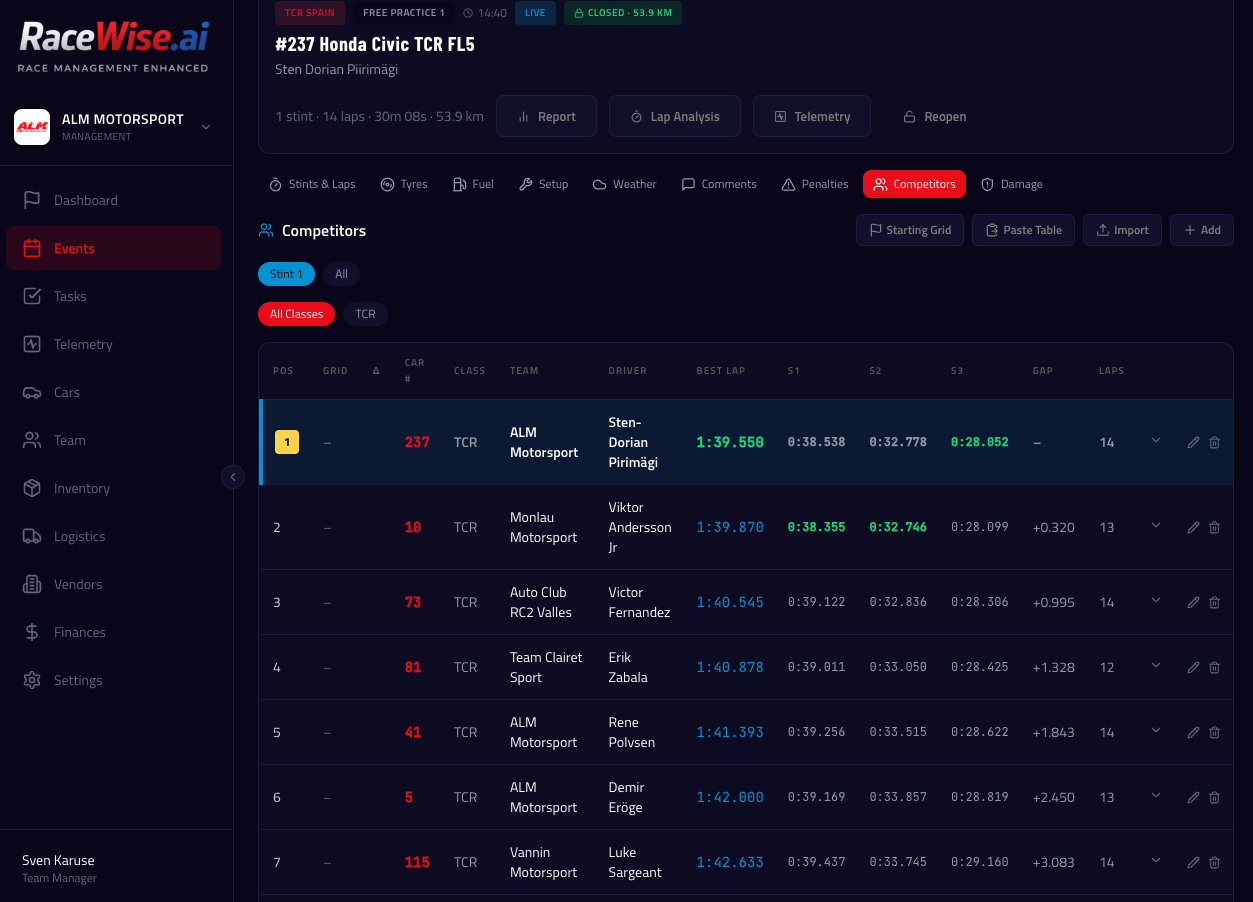
Competitor Results
Import official timing sheets directly into the session log. Competitor data is shared across all car entries in the same session — import once and everyone sees it.
- Import from PDF or CSV (ALKAMEL, TimeService.nl parsed instantly)
- Merge classification and lap time files by car number
- Per-competitor sector times and individual lap history
- Class filtering for multi-class sessions
Damage Reports
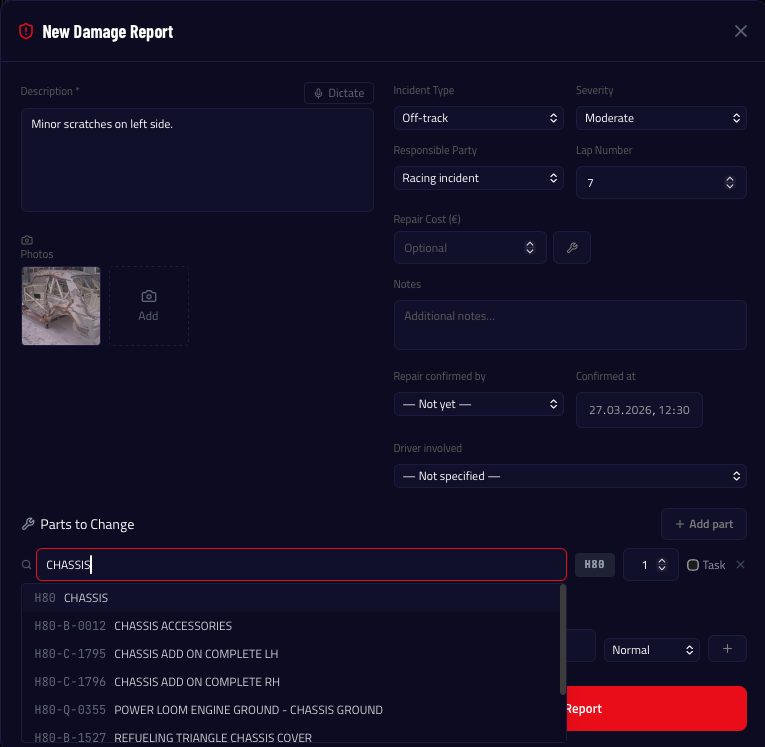
File incident reports directly from within a session log. Document the damage with photos, link parts to replace, and create repair tasks — all in one flow.
- Incident type, severity, and responsible party
- Photo attachments from gallery or camera
- Parts to replace with auto-created repair tasks
- Driver linking — damage history visible on driver profile
- Included in AI session and event reports
How It Works
Open Session Log
Click the clipboard icon next to any session in the timetable
Add Stints
Enter lap times manually, paste from clipboard, or import CSV/PDF
Record Setup
Fill in your car setup — carry over from previous sessions
Log Tyres & Fuel
Record tyre mounts and fuel top-ups
Close Log
Close to trigger auto-calculations for tyre usage and session result