Event Management
Your complete race weekend command centre
Plan and manage every aspect of a race weekend — from pre-event preparation through to post-race analysis. Create series, events, timetables, car entries, and track everything in one place.
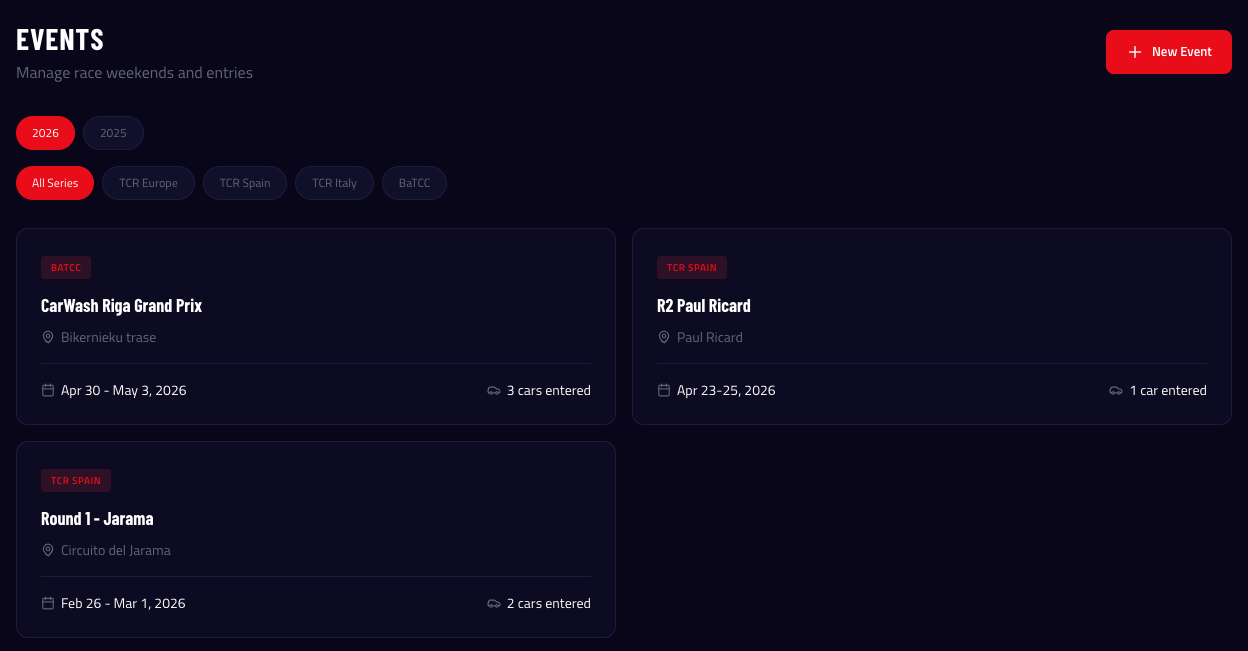
Series & Events
Organise your calendar by championship series. Each event holds the full race weekend: circuit details, dates, timezone, timetable, and all associated data. One view for everything happening at the track.
- Create series (e.g. "TCR Europe 2026") and events within them
- Circuit name, country, city, track length for automatic KM calculations
- Event timezone support — times display correctly for international series
- Event status tracking: Upcoming, In Progress, Completed
Session Timetable
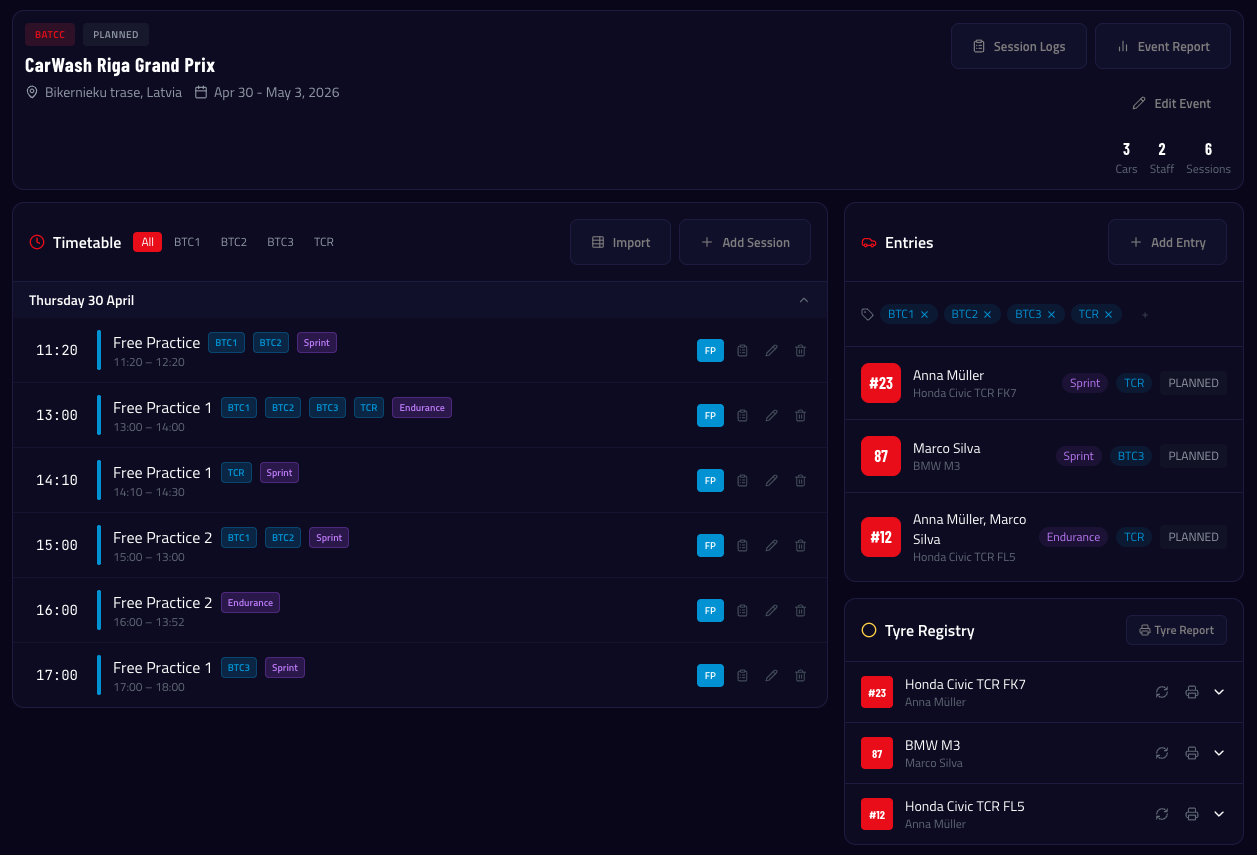
Build the full race weekend schedule — Free Practice, Qualifying, Race, and non-track sessions like briefings, tech inspection, and media. Drag the timeline, amend times when schedules change, and see everything at a glance.
- Session types: FP, Test, Qualifying, Race, Briefing, Tech Inspection, and more
- Duration or end-time entry — flexible scheduling
- Amended times with visual strikethrough of original schedule
- Multi-class sessions — assign multiple classes per session
- Session groups for sprint vs endurance race formats
Car Entries & Multi-Driver Support
Enter your cars into events with driver assignments. For endurance racing, assign multiple drivers per entry with lead and co-driver roles. Group entries by race format.
- Link cars and drivers to events as entries
- Car number override per event (same car, different number)
- Multi-driver entries for endurance: lead driver + co-drivers
- Entry groups: Sprint, Endurance, or custom labels
- Car class assignment per entry (BTC1, GT3, etc.)
- Entries automatically filtered in session logs by class and group match
Staff Assignments
Assign your team members to events with specific roles and car responsibilities. Track arrival and departure dates, manage expenses, and ensure everyone knows where they need to be.
- Assign staff to events with role and car assignment
- Arrival and departure date tracking
- Per-event expense tracking per staff member
- Staff overview on event page — see who's at the track
Tyre Registry
Register your tyre sets directly on the event page. Allocate sets to sessions, track condition, and generate tyre usage reports for the whole event.
- Register tyre sets per car entry with compound and condition
- Allocate sets to sessions for pre-weekend planning
- Barcode scanning for quick identification
- Tyre Report button generates a print-ready overview of all sets and usage
Competitor Results
Import official timing data and see how you stack up. Upload classification PDFs, lap time CSVs, or paste data directly. Competitor results are shared across all your car entries in the same session.
- Import from PDF timing sheets (AI-parsed) or CSV (ALKAMEL, TimeService.nl — instant, no AI)
- Merge classification and lap time files by car number
- Position, gap, sector times, and individual lap times per competitor
- Qualifying auto-ranks by best lap time
How It Works
Create Series
Set up your championship (e.g. "TCR Europe 2026")
Create Event
Add circuit, dates, and timezone
Add Entries
Assign cars and drivers with classes and groups
Build Timetable
Add sessions with times and class assignments
Assign Staff
Add team members to the event with roles and car assignments
Register Tyres
Add tyre sets and allocate to sessions
Go Racing
Open session logs, record data, import results
Ready to try Event Management?
Start your 14-day free trial — no credit card required.
Start Free Trial